How to
Unlock LLP
This page is your guide to how to get the most out of the LLP platform and community. We want you to enjoy learning but we also want you to feel as if LLP is your community.
If you connect with someone in a lesson and your parent gives you permission to, you can chat to your classmates directly from your profile.
We hope that you can make some really good LLP friends! Scroll down to find out how to send your first message but always make sure that you parent knows who you are speaking to so that they can keep you safe.
Remember to be kind and keep things appropriate. We do ask your parents to check that what you are sending and receiving is okay, because we need them to keep you safe.
How to log into your account or go back to your profile
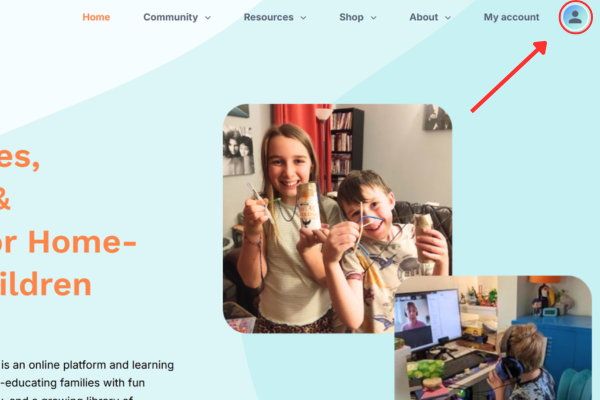
1. Click on the little person icon (top right of website)
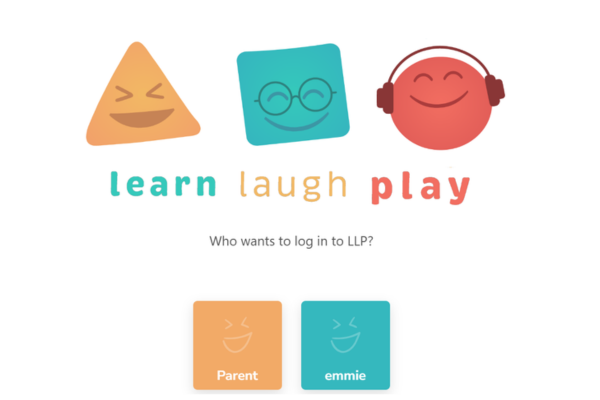
2. Choose your profile from the “switcher”
3. This will take you to your profile page – everything important starts here!
How to change your avatar
IMPORTANT!
Check with your parent – use a photo if they/you are happy to to help your classmates recognise you OR something that represents you like a hobby/interest
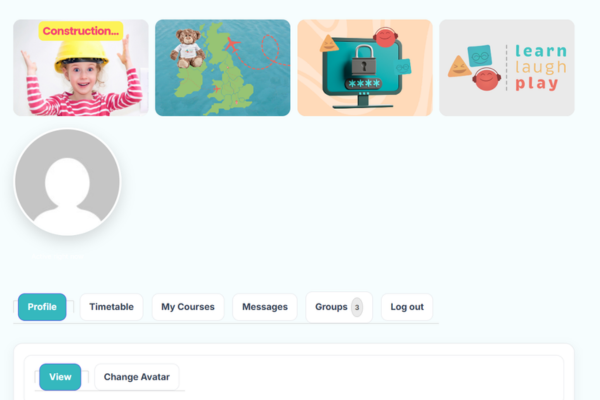
1. In your profile choose Change Avatar.
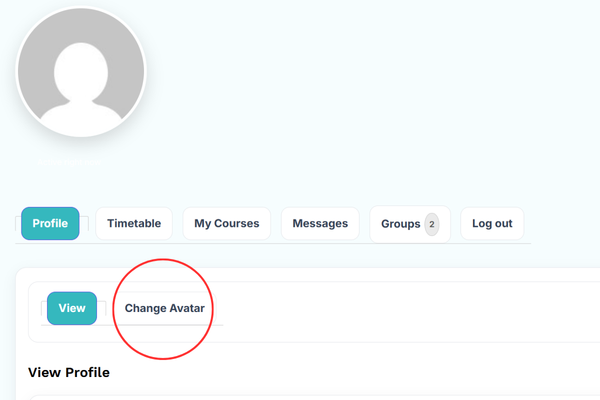
2. Select choose file.
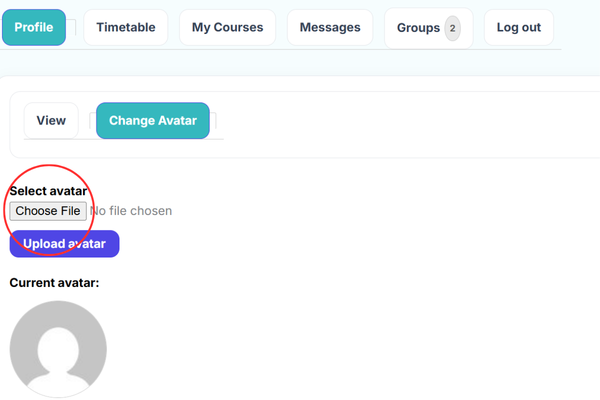
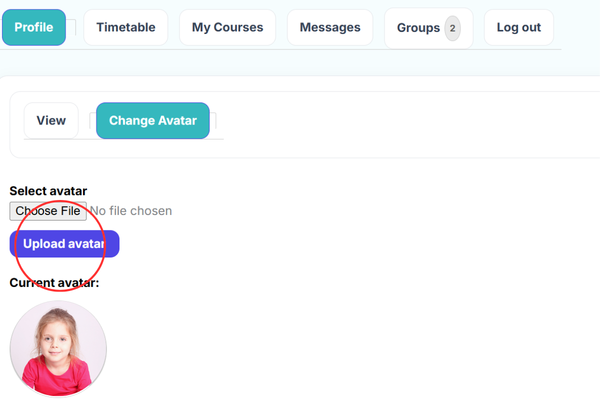
3. Click Upload avatar
How to find your classes
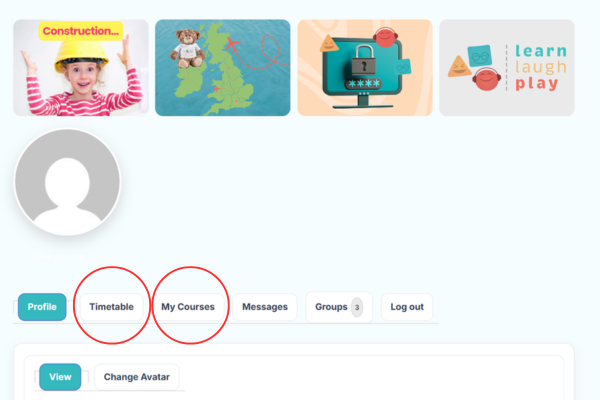
Once you are on your profile page, click on the “My Courses” and “Timetable” tabs to find your classes.
How to send a message
If your parent gives you permission to and is happy to supervise you, you can click on “Groups” or “Messages” to send a message to one of your classmates or your teacher. Groups is where you find the list of your Classmates and your teacher. Messages is where you can message from and where your previous messages are stored.
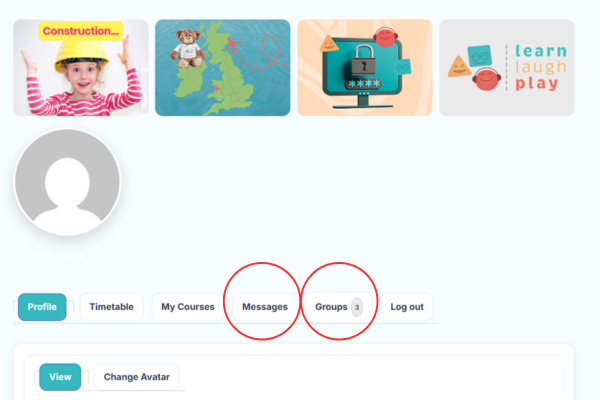
Messaging teachers
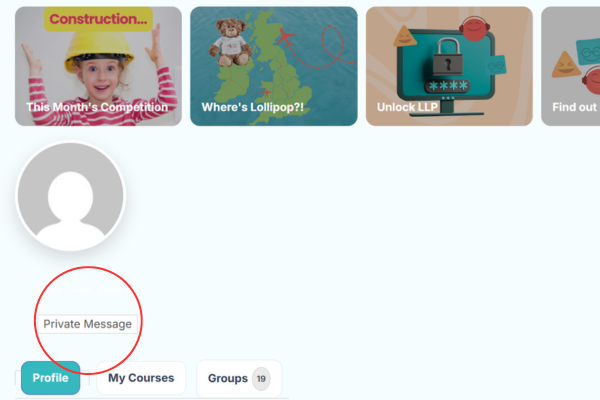
1. To find your teacher click on “Groups” as shown in the image below.
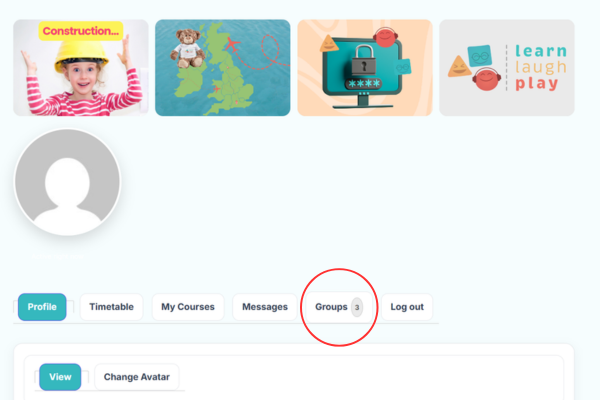
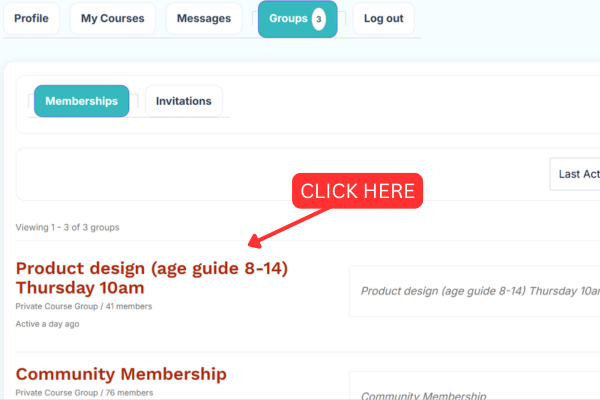
2. Select the group that you need and click on the lesson name.
3. On the far right at the top it says “Group Administrators”. The avatar on the right is the teacher of this group. Click on their avatar
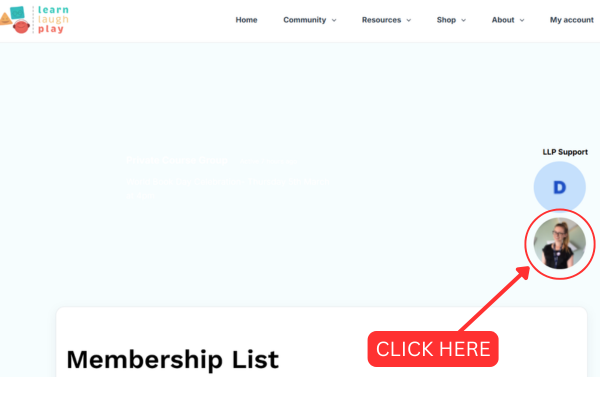
4. Click “Private Message” to write and send your message.
Messaging rules
Messaging teachers
🥺 Do not send your teacher a message to tell them what you had for breakfast!!
🙂 Be respectful of their time
🙂Ask for help if you are stuck and your parent has tried to help you with your learning and can’t
Messaging Classmates
You are responsible for keeping yourself and other LLP members safe.
To do this you need to:
🙂 Make sure your parent knows what you are sending and receiving
🙂 Be kind
🥺 Do not send anything inappropriate
🥺 Do not let anyone else use your messages
🥺 Do not try to share addresses, contact details etc – if you want to swap these, ask your parent to contact LLP.
Be a part of LLP
Choose from the 4 pictures at the top of your profile page, to find out what is happening at LLP and get involved.
Currently you can:
– Find out about our monthly competitions and check out the cool prizes 🙂
– Discover where Lollipop Bear has been hanging out and find out more about where she has been!
– Unlock LLP (THIS page – it basically tells you how to do things!)
– Find out First – this is where we will let you know as soon as anything exciting or new is happening (and we have LOTS planned for all ages so be sure to keep checking for updates!)
Get Involved
Find out by more clicking on the images below.